Hey everyone,
Digital Clipping is now live in Terrain Tinker!
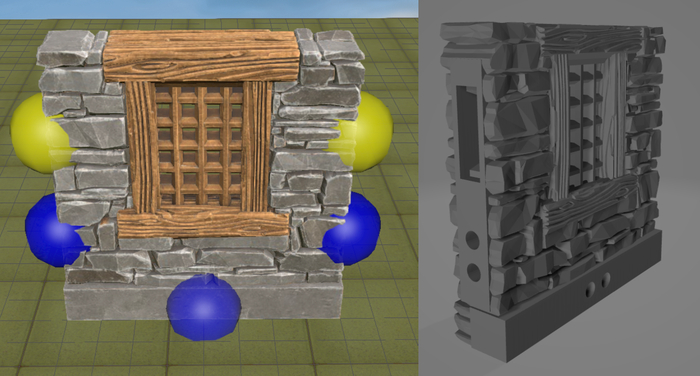
This is a huge feature that allows you to place OpenLOCK clip ports wherever you need them on models. Use it to create combined building parts with the exact clip ports you need and none you don't!
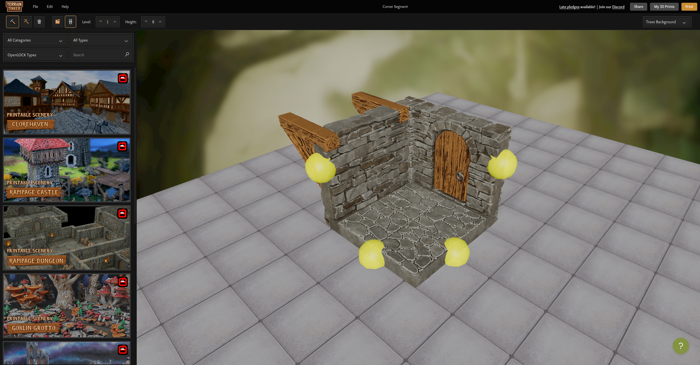
Digital Clipping in Terrain Tinker. The yellow orbs show where clip ports will appear.
You can start using it by clicking the new OpenLOCK Clip icon in the toolbar of the Terrain Tinker Editor.
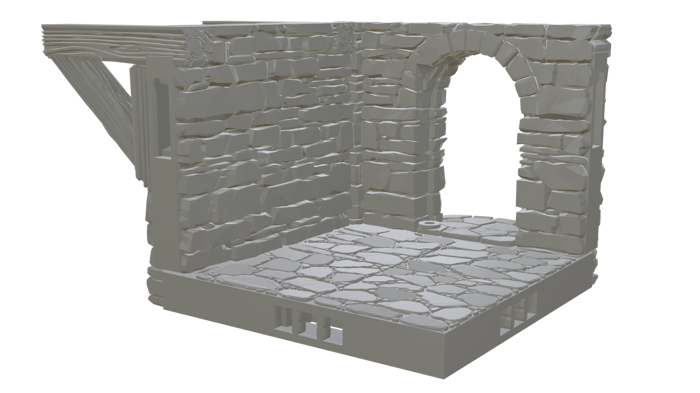
Combined STL with OpenLOCK ports
You can also use this with Print Grouping when creating massive buildings to create print bed sized sections and add OpenLOCK clip ports between them.
This feature is enabled for most of our standard models but does exclude some of the more complicated ones where the selection orbs won't show. We'll keep increasing the models that this supports over time!
If you have any questions on how Digital Clipping works you can find our support article here.
I really hope you enjoy this new feature as it was a big one! With this now completed we have a whole bunch of other features and models almost ready for you - Expect more news soon!
Let us know what you think of this feature and what you make!